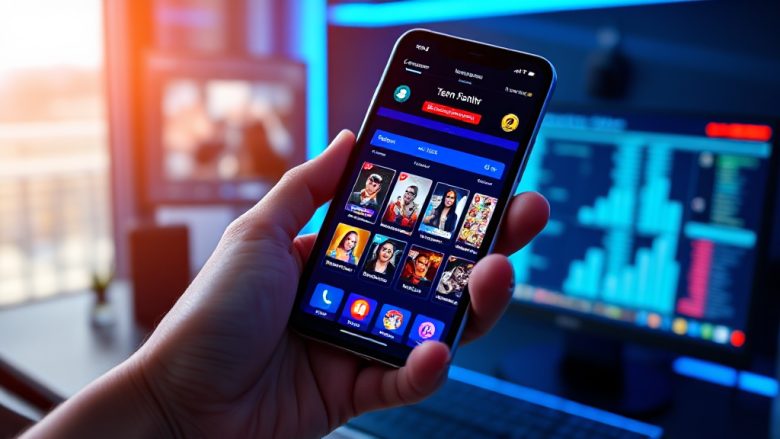
Teen Patti Bonus Apps on Older Phones: What It Feels Like
You feel it before you see it: the back of the phone gets warm under your fingers, the screen dims a notch on its own, and the next card deal arrives a beat late. That small warmth is the first honest signal that a 3Patti Apk Online build is working your hardware harder than the game itself suggests. This piece is about that feeling, tier by tier, and what it means when you pick an app because of a Teen Patti Bonus offer.
Most bonus-led listings promise extra chips, daily rewards, or a welcome bundle. None of that matters if the app turns a mid-range handset into a hand warmer within ten minutes. Below is what I noticed testing these builds on a spread of older and mid-tier phones, described in plain sensory terms rather than benchmark numbers.
Why Bonus-Heavy Builds Feel Different in the Hand
A bonus screen is rarely just a screen. It usually sits on top of an animated lobby, a live banner rotation, and a notification service that keeps checking for new offers. On a newer phone that load is invisible. On an older one, it shows up as a slight stutter when you tap, a fan-less warmth spreading from the top edge, and a battery percentage that drops faster than you expect.
The 3Patti Apps Onlines I tried fell into two rough camps: lean builds that open a table quickly and keep the lobby simple, and heavy builds that push bonus carousels and pop-ups before you even reach the cards. The heavy ones felt more generous on paper and more tiring in the hand.
The three sensations to watch for
- Warmth creep — heat that starts near the camera and spreads down the back after a few minutes of play.
- Tap lag — the half-second pause between your finger and the card flipping, which makes every round feel slightly sticky.
- Battery slide — the moment the percentage drops at a rate that makes you reach for the charger mid-session.
If you notice all three together, the app is asking more of the phone than the phone can comfortably give. That is a device-comfort problem, not a skill problem.
Budget and Older Phones: Where the Heat Shows Up First
On a phone with limited memory, the first thing to go is the smoothness of the lobby. Bonus banners load one by one, each one nudging the processor a little harder. Within a few minutes the back of the device feels like a mug that has been sitting in the sun, and the screen brightness starts adjusting itself to cope.
This is where the difference between a tidy listing and a cluttered one becomes physical. A directory that groups apps clearly, like the All Yono Games App collection, lets you pick a lighter build before you install anything. A listing that pushes the flashiest bonus first tends to lead you toward the heaviest app on the page.
What actually helps on low-end hardware
- Close every background app before you open the game — the lobby needs the memory more than your chat app does.
- Turn off in-app sound and vibration; both keep the phone working between rounds.
- Play on Wi-Fi if you can, because a weak signal makes the app retry quietly and steadily in the background.
- Take a short break every fifteen minutes — not for discipline, but because a cooler phone deals cards more smoothly.
The 3Patti New All Apk builds that felt best on budget phones were the ones that opened straight into a table and kept the bonus details in a side menu rather than on the main screen.
Mid-Range Phones: Smooth Until the Bonus Screens Load
A mid-range phone handles the cards comfortably. The warmth is milder, the taps land on time, and the battery holds through a longer session. The trouble usually starts when a bonus animation kicks in — a spinning wheel, a reward chest, a confetti burst. That is the moment the phone works hardest and the moment the lag becomes noticeable.
In practice, this means the game itself is rarely the problem. The wrapper around it is. Apps that keep their bonus presentation simple feel noticeably cooler and steadier than apps that treat every reward as a small fireworks show.
Choosing between similar-looking builds
When two apps look the same in a listing, the deciding factor is often how much they animate. A quieter build with a smaller bonus screen tends to feel better on a mid-range device than a louder build with the same game underneath. Comparing All Teen Patti Apks side by side makes this easier, because you can see which ones lead with the game and which ones lead with the promotion.
It also helps to check whether the app keeps running after you leave the table. Some builds stay awake in the background, quietly draining battery while the screen is off. If your phone is warm an hour after you stopped playing, that is usually why.
Battery, Storage and the Quiet Cost of a Bonus Offer
Bonus offers are often described in chips and rewards, but they have a second cost measured in battery and storage. A build that caches bonus videos and banner images takes up more space, and a fuller phone tends to run warmer because it has less room to shuffle data. On older devices, that combination shows up as a slow lobby and a fast-draining battery.
This is why a clear app directory matters more than a long feature list. Pages like Win Rummy Apks and Rummy Yono Games APP let you see what kind of build you are getting before it lands on your phone. A lighter install with a modest bonus often feels better over a week than a heavy install with a large one.
A simple comparison by device tier
| Device tier | What you feel first | Best-fit app style |
|---|---|---|
| Older budget phone | Warmth and tap lag within minutes | Lean build, simple lobby, small bonus screen |
| Mid-range phone | Smooth cards, lag during bonus animations | Quiet build with minimal animation |
| Newer phone | Little heat, steady battery | Any well-maintained build |
If you play more than one game, the same logic applies across the directory. The Ok Rummy Games and MAX Rummy Online entries are useful reference points because they show how different builds present themselves before install. A quick look at Win Rummy Online alongside them gives you a sense of which apps keep the interface calm and which ones push the promotion forward.
The Verdict: Pick for Comfort, Then for Bonus
After testing across tiers, the pattern is consistent. The apps that feel best in the hand are the ones that treat the bonus as a small extra rather than the main event. They open quickly, keep the lobby quiet, and let the phone stay cool enough that you forget you are holding it.
So the practical order is simple: choose a build that suits your phone first, then look at what it offers. A modest bonus on a comfortable app is worth more than a large bonus on one that turns your device into a hand warmer. If you start there, the 3Patti Apk Online decision becomes much easier to live with, session after session.